
The images in this article were generated with artificial intelligence. How we publish
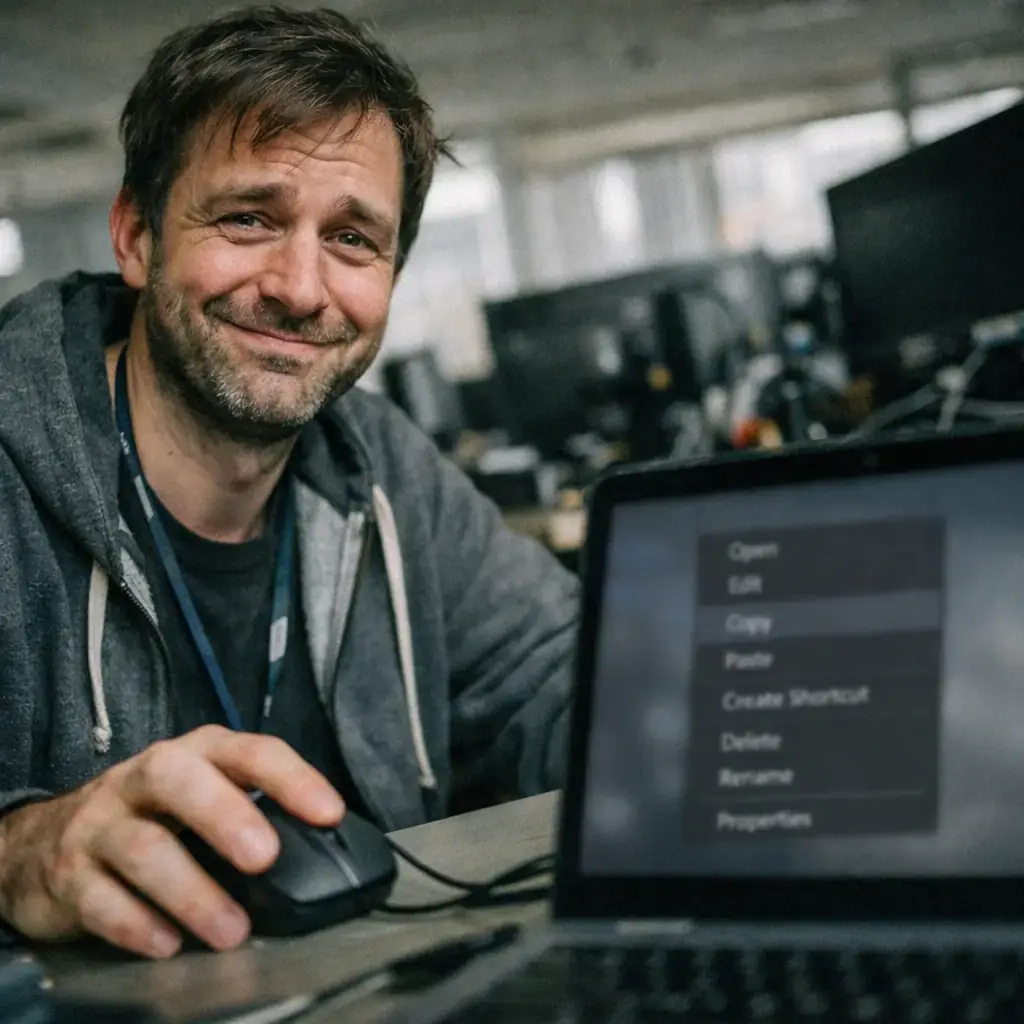
If something has taught us remote life, it is that the small daily functions of collaborative applications - copy and paste - are not nimities: they are the basis of the workflow. This is why a recent failure has come to the attention that prevents using the context menu to paste content into the chats of the Microsoft Teams desktop application: the "Paste" option appears off and does not allow URLs, text or images to be entered from the menu that comes out by right clicking.
Microsoft confirmed the problem in a notice published in mid-April and explained that the root is not in Teams as such, but in a regression introduced by a recent update of the Microsoft Edge browser. Teams uses Edge components (WebView2) for certain parts of its interface and functionality, so a change in the browser engine can have a direct impact on the desktop application experience. If you want to see the technical explanation about WebView2, Microsoft keeps documentation on this on its official site: WebView2 (Microsoft Learn).

The incidence has been rapidly reflected in professional forums and communities. Administrators and users have reported on the Microsoft support page and in Reddit threads that the problem affects both corporate environments and personal accounts, and that it is not solved with typical actions such as reinstalling Teams or emptying the cache from the application. A thread in Microsoft forums collects testimonies from administrators that identify specific versions of the client where the failure is played: conversation in Microsoft Answers, and in Reddit there are also several reports of concerned users: thread in r / MicrosoftTeams.
To avoid interrupting work, Microsoft communicated a temporary and simple solution: use keyboard shortcuts to copy and paste. In Windows, Ctrl + C and Ctrl + V continue to operate, and in macOS the Cmd + C and Cmd + V equivalents allow you to continue to transfer text, links and images between applications and chat. It is important to stress that the problem is limited to the right-click context menu; keyboard shortcuts are not affected, according to information from Microsoft and multiple users who have confirmed this behavior.
From the company they explained that they have already identified the cause of the error and that they are deploying a correction in a step-by-step manner, monitoring telemetry to check that the systems are recovered correctly. However, the latest public update that had been available on 16 April did not provide an exact date for the full resolution of the deployment, so the recommendation for those who depend on Teams is to monitor Edge and Teams updates and apply the patches when they are available.
This type of incident also serves as a reminder of how modern ecosystems are linked: a change in the web engine used by a desktop client can cause unexpected side effects. If you want to deepen how different media covered this failure and Microsoft's response, there are follow-up notes in specialized sites that review chronology and reactions: for example, BleepingComputer published a summary with links to notices and traffic in technical forums: BleepingComputer on the failure.
For IT managers and administrators, the nuisance is double: on the one hand, a practical and low-impact solution (using shortcuts) must be communicated to users, and on the other, it must be monitored for deployments and compatibility between Edge and Teams versions to prevent an update on one of the components from breaking the user experience. If your organization uses centralized update policies, it may be worth waiting for Microsoft to confirm the correction before forcing Edge's update to the version involved by the change, or coordinate internal evidence to validate that critical integrations continue to work.
For most users the discomfort will be temporary and relatively easy to draw, but it is still an example of why the units between components should be managed with rigorous testing and telemetry. In the meantime, if you are in the middle of a workflow and the right click to paste does not work, save the situation with Ctrl / Cmd + V and keep your computer up to date until Microsoft confirms that the correction has reached all affected customers.

Four Plex2Shell CVE allows remote execution and mining and proxy backdoor deployment
In recent days, an increase in attacks has been confirmed that take advantage of a chain of failures in Plex Media Server - nicknamed "Plex2Shell" by researchers - to run code r...

Open source personal agents already access corporate networks; identity control
Less than a year after the first open-source personal agents appeared, the debate has moved from "if" to "how" to control their presence within corporate networks. Facts confirm...

ChainDrop campaign exposes tensorlake in npm; version 0.5.144 withdrawal
A package of npm called tensorlake, an SDK in TypeScript oriented to Tensorlake applications and services, was engaged in a supply chain campaign linked to the attack family kno...

LibreOffice / OpenOffice Calc allows remote source execution when opening ODB / JDBC leaves
Researchers have shown that a malicious spreadsheet can force LibreOffice and Apache OpenOffice to run code controlled by an attacker at the time the file is opened, without sho...
Zimbra CVE-2026-73570: non-authenticated operation via SMTP with zimbra-snmp displays web shells and data
In recent weeks a campaign was registered that took advantage of a security failure in Zimbra Collaboration Suite to run code without authentication, install web shells and, in ...

Apple fixes CVE-2026-86950 in CoreGraphics; patch for iOS, iPadOS and macOS
Apple has published safety patches to correct critical vulnerability in old versions of iOS, iPadOS and macOS that, according to the company, may have been exploited in targeted...

KREMLIN: Bank malware campaign uses Etheum as dead drops to locate payloads in Brazil
Elastic Security Labs researchers have documented a bank malware operation that has not been publicly described so far and that uses a set of tools called KREMLIN. According to ...